


Available
Kantex Retail
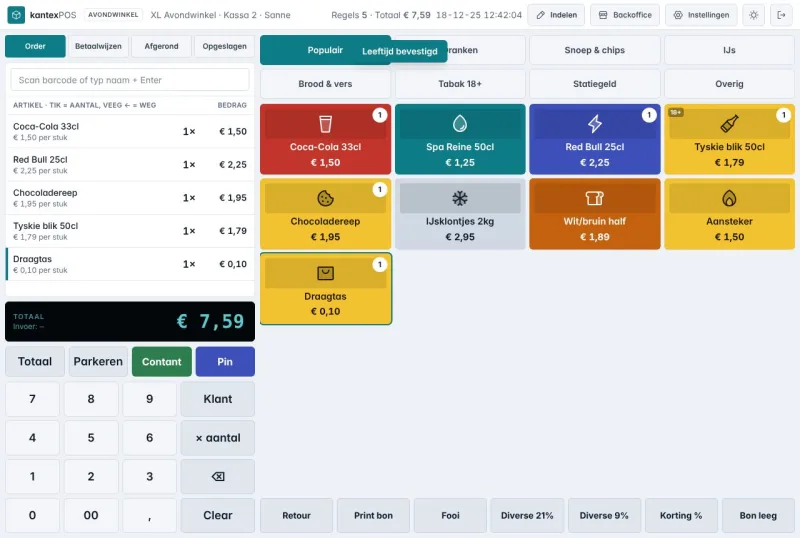
One POS for shops, supermarkets and hospitality
Touchscreen POS, self-checkout, table ordering and back office in one system. We migrate your old POS for free: products, tiles, customers and gift cards.
The whole shop day in one app
Kantex Store is a store operations platform for staff and store managers that brings daily tasks, goods receipt, issue reports and store performance together in one app. It uses data from your POS and inventory systems to show alerts, such as shrinkage or unusual sales, so the team knows where to focus today.

From problem to result
NowTasks from head office arrive by email, group chats and notes, and nobody knows what has been done.
With Kantex StoreTasks are in one list per shop, with a deadline and a tick when they are done.
NowDeliveries are ticked off on paper, and differences are reported late or not at all.
With Kantex StoreGoods are received in the app, and differences from the packing slip are reported immediately.
NowStore managers only see at the end of the week how the shop has performed.
With Kantex StoreToday’s revenue, shrinkage and notable alerts are on the manager’s home screen.
Modules
Recurring and one-off tasks per shop, such as opening, closing, merchandising and promotions.
How it works technically
The flow diagram of Kantex Store: which systems are the source, what the platform does with the data and what comes out.
Source
Sales figures from the POS, stock from the ERP, expected deliveries from the distribution centre or supplier, and tasks that currently arrive by email, group chats and notes.
Integration and processing
Shops, regions, roles and recurring tasks are recorded. POS, inventory and delivery data are connected so the app shows current figures and expected deliveries. Goods are received in the app; differences from the packing slip are reported immediately and alerts such as shrinkage or unusual sales are calculated.
Result
Tasks are in one list per shop, ticked off when done. Today’s revenue, shrinkage and notable alerts are on the store manager’s home screen; head office sees how tasks and reports are progressing.
How it works
We record shops, regions, roles and the recurring tasks that fit the way you work.
POS, inventory and delivery data are connected, so the app shows current figures and expected deliveries.
We start small, with a handful of shops, and work in staff feedback before rolling out further.
Head office sees how tasks and reports are progressing and adjusts what does not work, together with the shops.
For everyone on the team
Send tasks and promotions to every shop and see where things are on track and where they are not.
Security and privacy
As a pilot partner, you are the first to use Kantex Store in your own organisation and help decide which features come first. We work closely together and adapt the product to how you work.
Questions
Not yet. Kantex Store is in development and we are shaping it with retailers that want to take part as pilot partners. If you have several shops and find that tasks, deliveries and issue reports are fragmented, email sales@kantex.nl. We will then discuss what your shop day looks like and whether a pilot is a good fit.
Kantex Store is designed as an app for phones and tablets and, where possible, for the handheld scanners shops already use. Kantex does not supply hardware itself. Which devices in your shops are suitable is something we look at while preparing a pilot.
The app uses data from your POS and inventory systems, such as write-offs, corrections and sales. Alerts are calculated from that, for example shrinkage that is higher than normal for that shop. It remains an alert: the store manager judges what lies behind it.
Kantex Stock focuses on inventory: how much there is, where, and what needs restocking. Kantex Store focuses on the shop floor: tasks, goods receipt, issue reports and how the shop is doing today. They can be used separately and are designed to work together.
More software
One POS for shops, supermarkets and hospitality
Touchscreen POS, self-checkout, table ordering and back office in one system. We migrate your old POS for free: products, tiles, customers and gift cards.

Know what you have, everywhere
Kantex Stock shows for each item how much is in every shop, in the warehouse and available to the online shop. Stock counts, replenishment and discrepancies come together in one place.
Orders, stock and delivery in one system
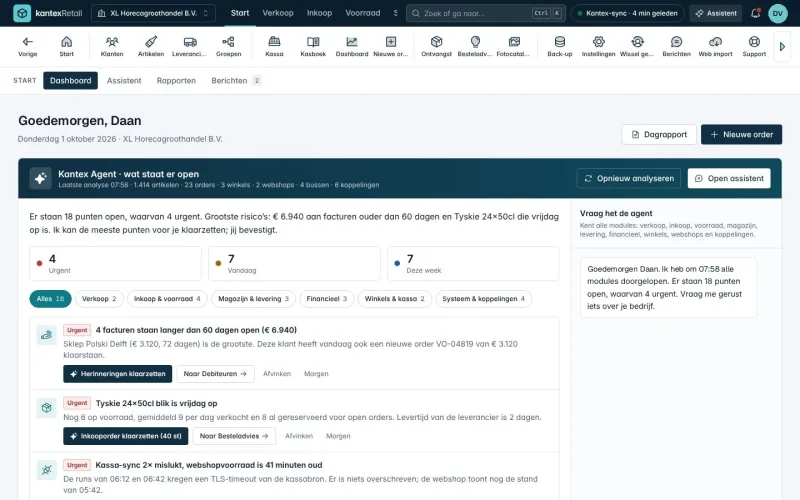
Orders, customer pricing, warehouse, online shops and live tracking in one system, with 15 sector modules. We move your data over from your old ERP for free.

Free introductory call
Book a free 30-minute introductory call. We walk through your process and show where software, integrations or AI deliver the most.